Free AI Visibility Score — See how AI finds and cites your website
Extending Webflow Beyond Pages: How We Built Mini Apps for EIP Using Webflow Cloud


Webflow is often described as a website builder. In reality, that description breaks down quickly for enterprise organisations — where critical content lives across multiple systems, not inside a single CMS.
When we partnered with EIP, a leading intellectual property law firm, their new website needed to integrate live content from external platforms, including podcasts hosted on SoundCloud and job listings managed in Cornerstone, an enterprise HR system.
The challenge was clear:
How do you keep a Webflow site fast, secure, and editor-friendly, while ensuring content stays accurate, up to date, and connected to the systems that already own it?
The answer wasn’t more embeds or manual syncing.
It was treating Webflow Cloud as an application layer, and using it to build small, focused mini apps that extend Webflow without turning the website into a full custom application.
The problem with “static” enterprise websites
Many enterprise websites are still treated as static marketing layers, even though the content they surface is anything but static.
In EIP’s case, that content included:
- Podcasts published via SoundCloud
- Careers data managed in Cornerstone
- A marketing team working primarily inside Webflow
- Strict requirements around performance, security, and SEO
The obvious solutions all came with compromises:
- Third-party embeds offered limited control, inconsistent styling, and performance overhead
- Manual CMS updates introduced duplication, delays, and the risk of errors
- Rebuilding functionality outside Webflow increased cost and long-term maintenance complexity
What EIP needed was a way to let each system remain the source of truth, while Webflow acted as the single, coherent interface.
Our approach: Webflow Cloud as a mini-app layer
Rather than pushing Webflow beyond its limits, we extended it.
We used Webflow Cloud to introduce secure, server-side logic that sits alongside the website — allowing us to fetch, transform, and cache external data before it ever reaches the browser.
At a high level, the architecture looked like this:
- External platforms remain the source of truth
- Webflow Cloud handles data ingestion, transformation, and caching
- Webflow CMS remains the place editors work
Crucially, both integrations were designed to support two sync modes:
- Scheduled background syncs to keep content up to date automatically
- On-demand syncs triggered by page visits (for example, when
/podcastsor/careersis accessed)
This ensured the site always served fast, cached content by default, while still being able to refresh data instantly when it mattered — without relying on client-side scripts or embeds.
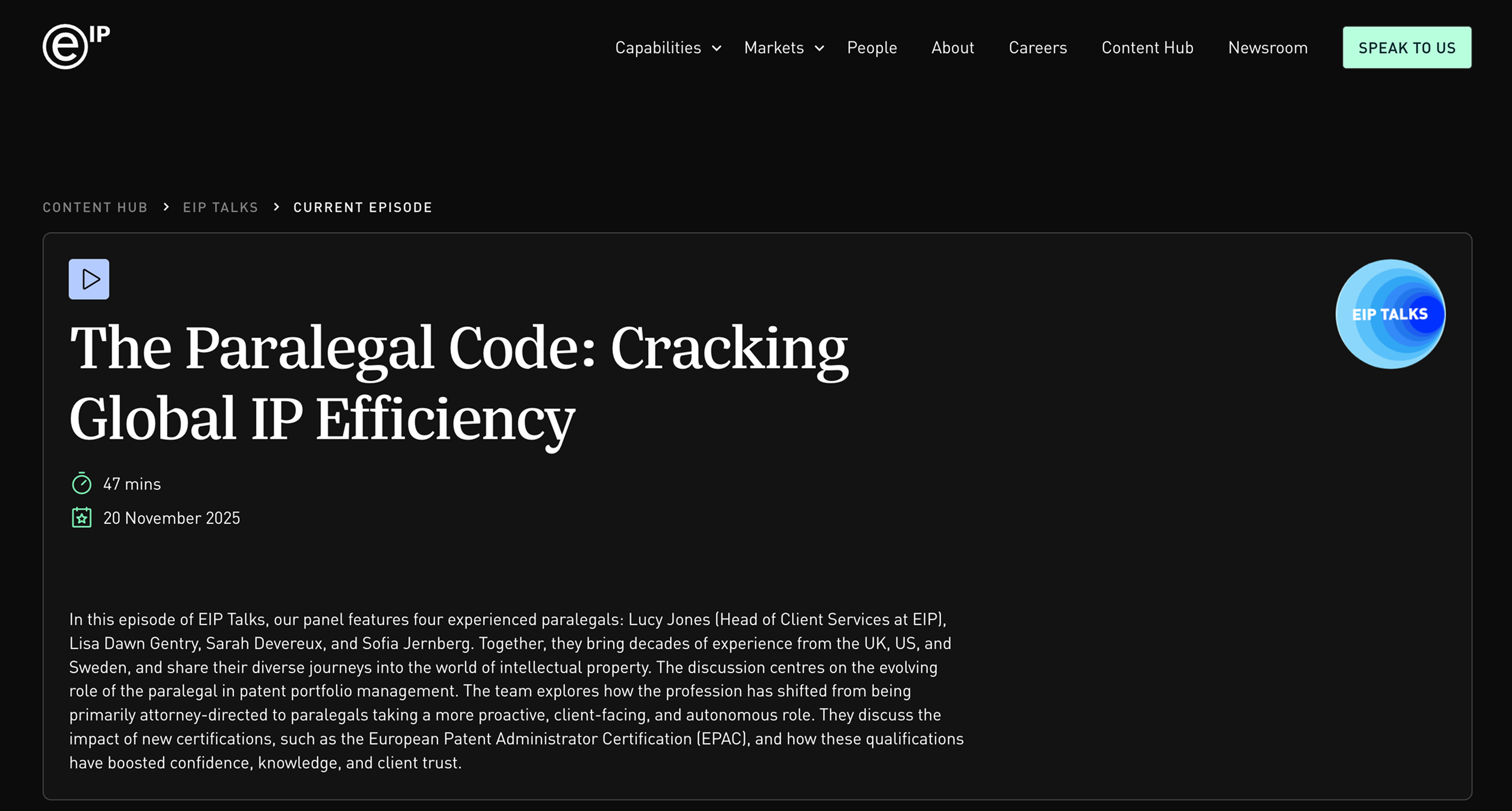
Mini app #1: Syncing podcasts into Webflow using RSS
EIP’s podcast content was hosted on SoundCloud, but the website needed:
- Consistent styling across episodes
- SEO-friendly episode pages
- Searchable, filterable content
- Full editorial control within Webflow
Rather than using SoundCloud embeds or platform-specific SDKs, we took a more resilient approach by using SoundCloud’s RSS feed as the source of truth.
Using Webflow Cloud, we built a lightweight server-side service that:
- Fetches the SoundCloud RSS feed
- Parses and normalises episode data (title, description, publish date, duration, audio URL)
- Maps episodes into structured Webflow CMS collections
The service supports:
- Scheduled syncs to keep podcast content updated automatically
- On-demand API calls triggered when the
/podcastspage is visited - A caching layer to ensure fast page loads and avoid unnecessary external requests
This approach offered several advantages:
- No dependency on client-side embeds or scripts
- Better performance and SEO compared to iframe-based players
- Cleaner, standardised data ingestion
- A future-proof setup that isn’t locked to a specific podcast platform
The result:
- Podcast episodes behave like native Webflow content
- Pages inherit the site’s design system automatically
- SEO metadata is fully controlled in Webflow
- New episodes appear without manual intervention
For the marketing team, podcasts became just another content type — not a special case.
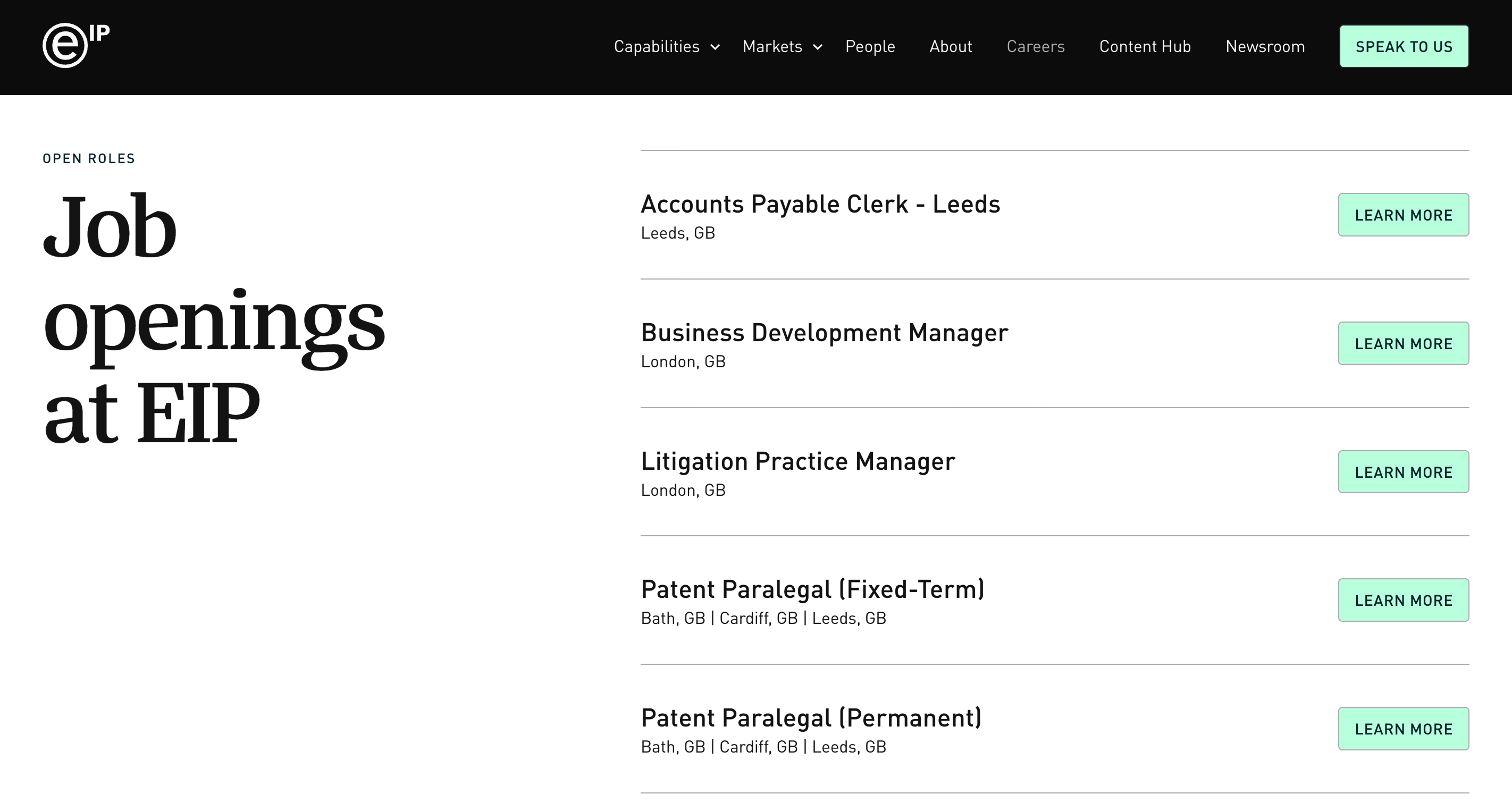
Mini app #2: Integrating careers data from Cornerstone
Careers content is where many enterprise marketing sites quietly fall apart.
For EIP, Cornerstone is the authoritative system for:
- Job roles
- Locations
- Departments
- Role status and availability
Duplicating that data manually into Webflow would have created unnecessary risk and operational overhead.
Instead, we used Webflow Cloud to build a secure integration that:
- Connects to Cornerstone via its API
- Fetches and normalises job data server-side
- Syncs roles into structured Webflow CMS collections
Like the podcast integration, the careers mini app supports:
- Scheduled background syncs
- On-demand API calls triggered when the
/careerspage is visited - An intelligent caching layer to balance freshness, performance, and rate limits
This ensured job listings were always accurate when candidates viewed them, while keeping enterprise systems completely hidden from the browser.
Webflow became the front door — not the database.
Why this approach worked
By introducing a small application layer rather than rebuilding the site as a full app, we were able to deliver meaningful operational benefits:
- Reduced manual publishing and duplication
- Fewer content errors and inconsistencies
- Faster update cycles across podcasts and careers
- Improved performance and SEO
- Clear separation of responsibilities between teams
HR continued to own Cornerstone.
Marketing continued to own Webflow.
No one became a bottleneck.
When Webflow Cloud is the right solution
This approach isn’t necessary for every project — but it’s powerful in the right context.
Webflow Cloud is particularly effective when:
- You need to integrate enterprise systems or APIs
- Data already lives outside your website
- Editors shouldn’t interact with raw APIs or scripts
- Performance and security are non-negotiable
- You want to avoid rebuilding your site as a full application
In short, when your website needs to behave more like a product — without becoming one.
Webflow is no longer just a website builder
Projects like this highlight how Webflow is evolving.
For modern digital teams, the line between “marketing site” and “application” is increasingly blurred. With the right architecture, Webflow can sit comfortably alongside enterprise platforms, acting as a fast, flexible interface layer rather than a static endpoint.
At Code & Wander, this is the kind of work we specialise in — building Webflow platforms that integrate cleanly with real-world systems and scale without unnecessary complexity.
Webflow Cloud in action
Discover how we used Webflow Cloud to integrate podcasts and Cornerstone-powered careers listings into EIP’s website — keeping Webflow fast, secure, and scalable while external systems remained the source of truth.
Let's unleash your digital growth together